advanced
Custom Routing Rules
This guide details how to add custom routing rules in Clash Party via Configuration Override. It covers rule syntax, detailed explanations of common types, and rich practical examples.
Read MoreA simple, easy-to-use, and beautifully designed proxy client.
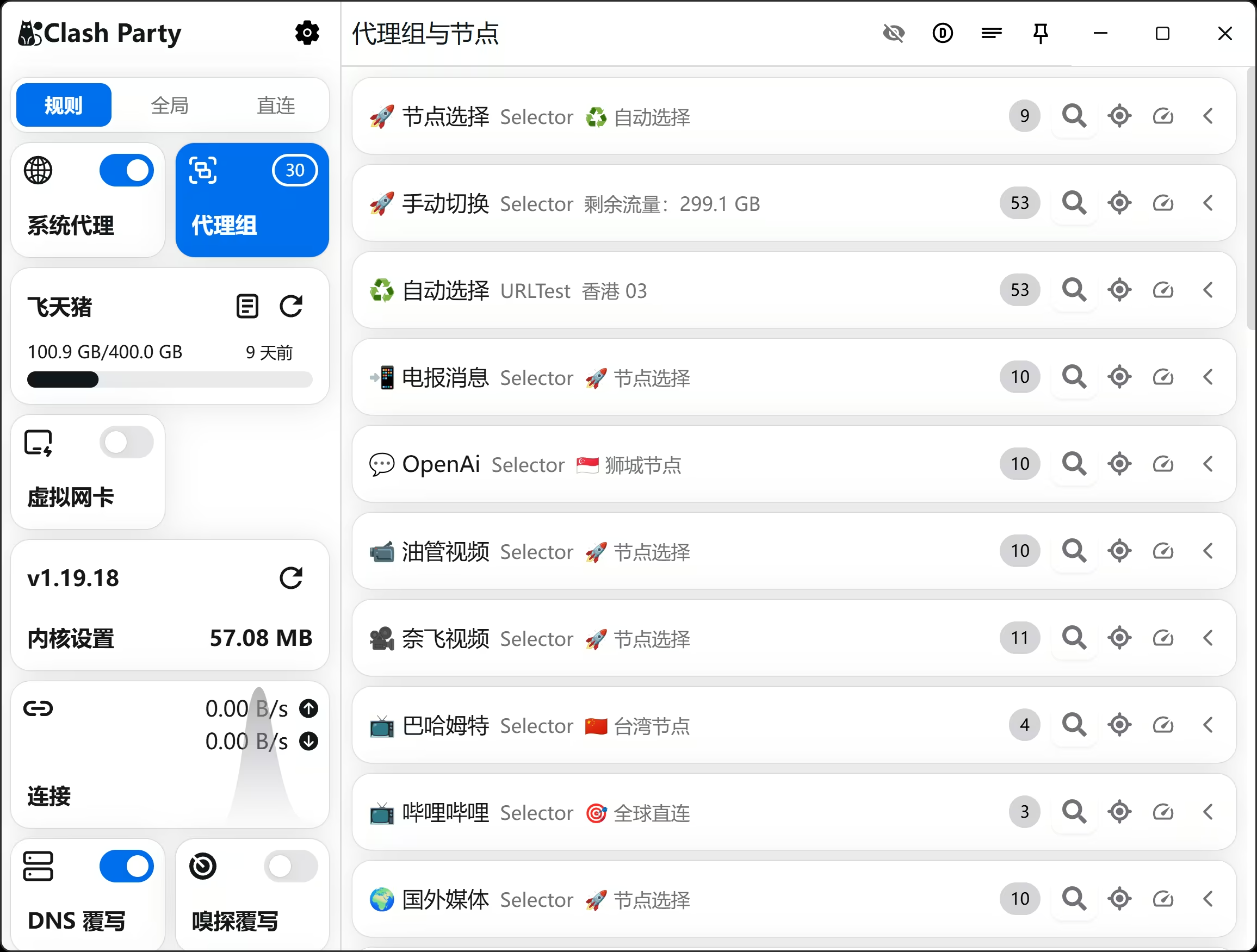
One-click Smart Core override with AI-based automatic node selection for optimal performance.
Ready to use immediately without complex service configuration. Built-in Tun mode support.
Various beautiful color themes available to give your UI a fresh and personalized look.
One-click configuration backup and restore via WebDAV. Keep your data safe in the cloud.
Advanced configuration override capabilities allowing you to modify any settings as you wish.
Deep integration with Sub-Store for easy subscription management and native experience.
Enjoy fast and secure internet in 3 simple steps
Copy the subscription link or scan the QR code from your provider.
Open Clash Party, click the subscription card, paste the link, and click import.
Click the big circle button to connect and enjoy a secure, fast network.
Copy the subscription link or scan the QR code from your provider.
Open Clash Party, click the subscription card, paste the link, and click import.
Click the big circle button to connect and enjoy a secure, fast network.
This guide details how to add custom routing rules in Clash Party via Configuration Override. It covers rule syntax, detailed explanations of common types, and rich practical examples.
Read MoreQuickly download, run, and import subscriptions for Clash Party on Linux. Recommended AppImage format compatible with most distributions.
Read MoreStep-by-step guide for downloading, installing, and configuring Clash Party on Windows. Perfect for beginners, includes detailed installation steps and connection verification.
Read More